
Quip Is Retiring: How To Move Your V2MOMs Before It Shuts Down
Key Takeaways
- •Quip renewals end March 1, 2027. Your real deadline is your own renewal date, which may be sooner.
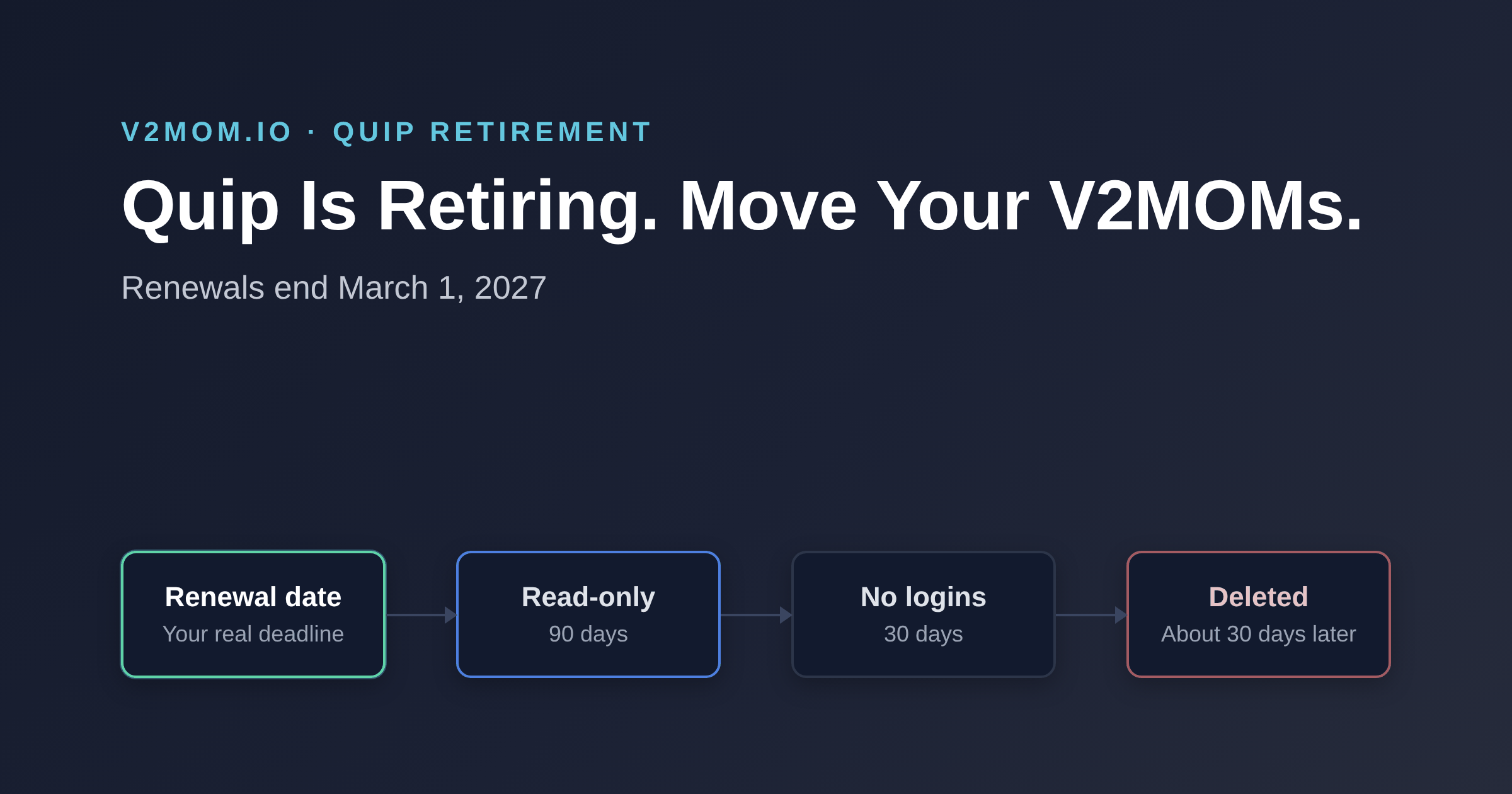
- •After a subscription expires: 90 days read-only, 30 days with no logins, then deletion.
- •Salesforce won't move your content for you. Export while you still have full access.
- •Moving a V2MOM from one doc to another repeats the problem. Documents go stale by February.
- •Move the plan, not the formatting: Vision, Values, Methods, Obstacles and Measures, plus a check-in rhythm.
For many teams, Quip was the natural home for a V2MOM. Salesforce created the framework and owned Quip, so the template lived next to the rest of their Salesforce work.
Now Salesforce is retiring Quip. Every Quip product is affected, and paid subscriptions can't be renewed after March 1, 2027. If your V2MOMs live in Quip, they need a new home.
This post covers the dates that matter, what happens to your documents, and how to move your V2MOMs so they don't end up in another doc nobody opens.
The dates that matter
Salesforce lists every Quip product as retiring, including Quip Starter, Advanced and Plus (Salesforce Help: Quip Retirement).
| Date | What happens |
|---|---|
| February 17, 2026 | New Quip accounts stopped being available to new customers |
| March 1, 2027 | Last date to renew a paid Quip subscription |
| March 31, 2027 | Free users lose access |
After a paid subscription expires, the shutdown runs in three steps:
- Read-only, 90 days. People can log in and view, but can't edit or collaborate.
- Blocked logins, 30 days. No one can log in.
- Deletion, about 30 days. Your content is deleted.
Two things are easy to miss. Your deadline is your own renewal date, which may come well before March 2027. And Salesforce won't move your content for you. Individual documents can be exported from Quip, and bulk export runs through Quip's APIs on the Plus and Advanced plans.
Don't just move it to another doc
The quick fix is to copy your V2MOM into Google Docs, Notion or Confluence. It takes an afternoon. It also keeps the problem you probably already had.
A V2MOM in a document is a snapshot. It's written in January, shared once, and opened again at review time. Nobody updates a Measure in a doc every week. Managers can't see whether their team's Methods still line up with theirs. By February, the plan and the work have drifted apart.
The V2MOM framework works when it stays current: Measures that move, Obstacles named as they appear, and a clear line from each person's V2MOM to the company's. A document can hold the words. It can't keep them alive.
How to move your V2MOMs, step by step
- Find your renewal date. Check your contract or ask your Salesforce account team. Work back from that date, not from March 2027.
- List the V2MOMs that matter. Usually the company V2MOM, each leader's, and the team V2MOMs for this year. Export older ones as PDFs for the record.
- Export while you still have full access. Use Quip's export for single documents. If you have many, ask your admin about bulk export.
- Rebuild the plan, not the formatting. Copy in each part: Vision, Values, Methods, Obstacles and Measures. Give every Measure a number and an owner. Our V2MOM template shows the shape.
- Connect them. Link each team and personal V2MOM to the one above it, so progress rolls up. Here's how to cascade a V2MOM.
- Set a check-in rhythm. Weekly or every other week. Short updates beat a quarterly rewrite.
- Stop editing in Quip. Pick a cutover date and tell everyone, so nobody keeps updating the old copy.
What changes when your V2MOM is live
In V2MOM.io, each V2MOM is a working plan, not a page.
- Check-ins take minutes. Update status and progress on each Measure, and add a note.
- Progress rolls up. Company, team and personal V2MOMs connect, so leaders see where the plan stands without asking.
- Managers see their people. Direct Reports and the org chart show every V2MOM and how it's moving.
- Work moves with people. Delegate a Measure to someone on another team, and hand a V2MOM over when someone leaves.
- Ask your AI. Connect Claude, ChatGPT, Copilot or another AI app to ask how the plan is going, or log a check-in from chat.
Most teams are set up in under 15 minutes.
Quick answers
Can I keep using Quip until March 2027? Only if your subscription runs that long. Read-only starts when your own subscription ends.
Will Salesforce move my V2MOMs? No. Quip content isn't moved automatically. If you have Slack, you can convert Quip documents into Slack canvases, but that's still a document.
Can I import a V2MOM from Quip into V2MOM.io? Copy each section in; it takes minutes per V2MOM. Moving a whole company? Talk to us.
What does V2MOM.io cost? Free for up to 10 users. Business is $5.99 per user per month.
Move once, and keep it moving
Quip's retirement is a deadline you didn't choose. It's also a good moment to stop treating your V2MOM as a document. Start free and bring one V2MOM over this week. If it helps, you'll know quickly.